
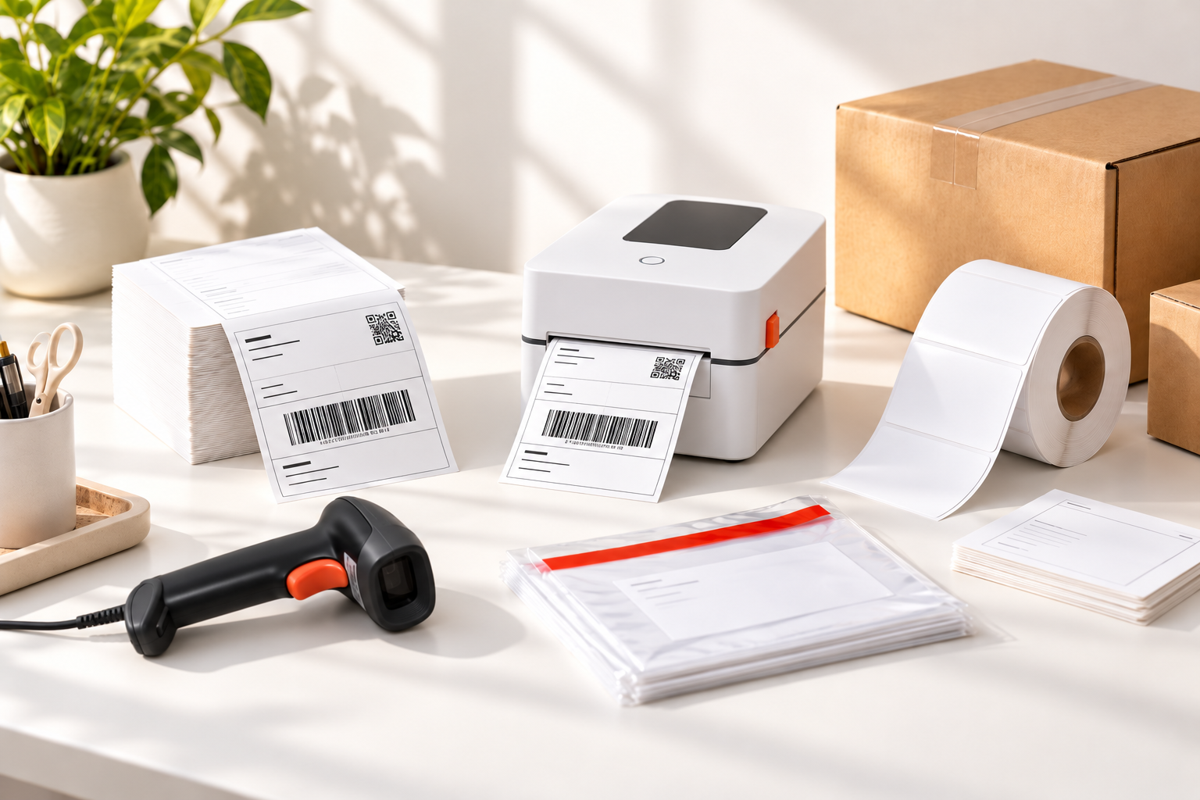
Key Takeaways
- A thermal printer in Singapore for online selling should be a direct thermal model. It prints with heat, so there is no ink, toner or ribbon to buy or refill.
- Most courier waybills in Singapore are laid out for 100x150mm labels, so pick a shipping label printer that handles that size natively.
- USB suits a fixed packing desk, while Bluetooth suits phone-based sellers who print from iOS or Android.
- Good labels matter as much as the printer. The right thermal label roll or fan-fold stack, a barcode scanner and a label holder keep your packing line fast and your barcodes readable.
If you sell on Shopee, Lazada, Carousell or your own website, you already know the moment: orders pile up, and you are still hand-writing addresses or cutting and taping A4 printouts onto parcels. A proper thermal printer in Singapore fixes that in one afternoon. You press print, a crisp 100x150mm label comes out, you peel and stick, and the parcel is ready for the courier.
In this guide we walk through how a label printer in Singapore actually works, how direct thermal compares with inkjet and laser, what size shipping labels couriers expect, and which extras are worth having, from barcode scanners to waterproof labels and label holders. At MillionParcel we pack and ship alongside small sellers every day, so we keep this practical and jargon-free.
How Should You Compare Thermal Printers and Labels in Singapore?
Before you buy anything, compare on five simple points. First, print method: does it use ink, toner or only heat? Second, label size: can it print the 100x150mm format that couriers use? Third, connection: do you print from a computer by USB or from your phone by Bluetooth? Fourth, label supply: roll or fan-fold, and how easy is it to restock? Finally, the add-ons around the printer, such as a barcode scanner, label holder and packing list envelopes. The items below go through each of these one by one.
9 Thermal Label Printer and Label Options in Singapore (2026)
Here is a full breakdown of each type, with details on what it is best suited for.
1. Direct Thermal Printing vs Inkjet and Laser
Direct thermal printers use heat to darken special coated label paper, so there is no ink cartridge, toner or ribbon involved. Inkjet and laser printers are great for office documents, but for shipping labels they mean ongoing ink or toner costs, A4 sheets you have to cut or stick, and smudging when labels get damp. For a seller printing dozens of waybills a day, direct thermal is usually the tidier and lower-maintenance route.
|
Print Method |
Direct thermal (heat on coated label paper) |
|
Consumables |
Label paper only, no ink or toner |
|
Trade-off |
Printed labels can fade if left in strong heat or sunlight for a long time |
|
Best For |
Sellers printing shipping labels every day |
|
Where to Buy in Singapore |
Specialist suppliers, office supply stores and online marketplaces. MillionParcel stocks the Thermal Printer & Label range with no minimum order and ready stock. |
2. Compact Desktop Thermal Label Printer (SoonMark)
For most online sellers, a compact desktop shipping label printer is all you need. MillionParcel carries the SoonMark thermal printer, a direct thermal model built around the standard 100x150mm shipping label. It prints at up to 152mm/s, so a batch of orders clears quickly, and it works for e-commerce fulfilment, retail, F&B labelling, small offices and light logistics.
|
Print Method |
Direct thermal, no ink or toner |
|
Label Size |
Standard 100x150mm shipping labels |
|
Print Speed |
Up to 152mm/s |
|
Best For |
Home sellers, small online shops, F&B labelling and small offices |
|
Where to Buy in Singapore |
Specialist suppliers and online marketplaces. MillionParcel lists the SoonMark on its thermal label printer page with ready stock and fast local delivery. |
3. 100x150mm Courier Shipping Labels
This is the size most Singapore sellers should standardise on. The SoonMark is designed for the 100x150mm label used by couriers such as Ninja Van, Qxpress, J&T Express, SF Express and Aramex, so the same label stock works across several delivery options. Sticking with one size also means you only need one roll type on the shelf and one print setting to remember.
|
Label Size |
100x150mm (the common courier waybill size) |
|
Works With |
Couriers such as Ninja Van, Qxpress, J&T Express, SF Express and Aramex |
|
Format |
Rectangular shipping labels, also available in circular styles |
|
Best For |
Anyone printing courier waybills from marketplaces or their own store |
|
Where to Buy in Singapore |
Local packaging suppliers, office supply stores and online marketplaces. MillionParcel's thermal printer label paper is in ready stock with no minimum order. |
4. USB vs Bluetooth Connection
Connection type decides how you will actually use the printer day to day. USB connects to Windows and Mac computers and is steady and simple for a fixed packing desk. Bluetooth connects to iOS and Android, which is handy if you manage orders on your phone or pack from a small corner of the home. With the SoonMark, labels are saved as PDF first when printing from a phone, so it helps to download your waybills before you start a batch.
|
USB |
For Windows and Mac computers, best for a fixed packing desk |
|
Bluetooth |
For iOS and Android phones, labels saved as PDF first |
|
Setup Tip |
Download or save your waybills as PDFs before printing in bulk |
|
Best For |
USB for high-volume desks, Bluetooth for mobile or phone-first sellers |
|
Where to Buy in Singapore |
Specialist suppliers and online marketplaces. MillionParcel's SoonMark printer supports both USB and Bluetooth. |
5. Thermal Label Rolls and Big Label Rolls
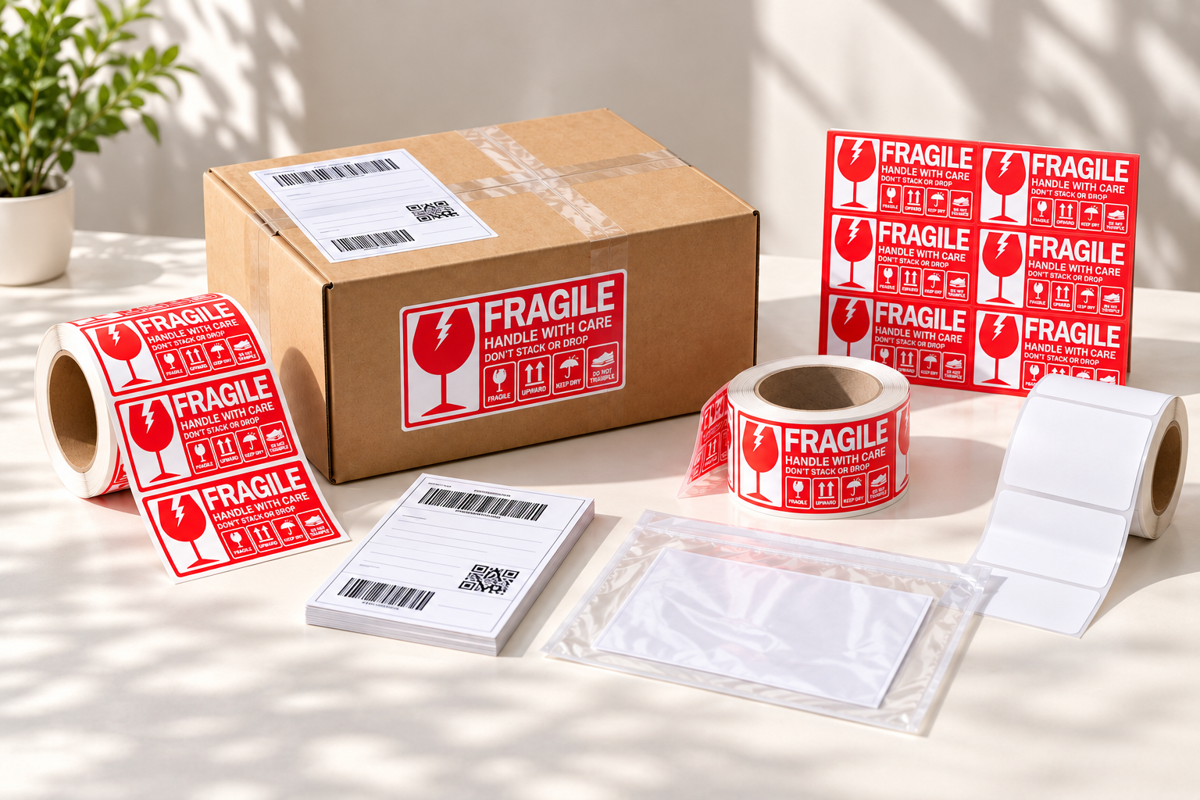
Thermal label rolls are the everyday consumable for any thermal printer. Standard shipping label rolls are what most sellers use for courier waybills. If you want your own look, big thermal label rolls can be custom, branded or printed with barcodes, which is useful for product SKUs, warehouse bins or retail shelves. Label stocks suit cardboard, plastic, glass and paper surfaces, so one roll type covers most of what you ship.
|
Common Options |
Rectangular and circular shipping labels, big custom or branded rolls, barcode labels |
|
Surfaces |
Cardboard, plastic, glass and paper |
|
Key Benefit |
Peel-and-stick labels with no ink or ribbon to manage |
|
Best For |
Daily waybill printing and branded or barcode product labels |
|
Where to Buy in Singapore |
Local print shops, specialist suppliers and online marketplaces. MillionParcel offers thermal label rolls in its Sticker Label collection with no MOQ. |
6. Roll vs Fan-Fold Labels and Label Holders
Labels come either on a roll or as a fan-fold stack, which is a continuous pack folded in a zigzag. Rolls are more common for compact desktop printers, while fan-fold stacks sit flat in a box and feed neatly with less curl. Either way, a label holder keeps the supply steady, stops rolls from rolling off the desk and keeps feeding smooth. MillionParcel stocks both fan-fold and roll label holders.
|
Roll |
Compact, widely used, easy to swap |
|
Fan-Fold |
Flat stack, feeds neatly, less curl |
|
Accessory |
Fan-fold and roll label holders keep supply steady and tidy |
|
Best For |
Rolls for most small sellers, fan-fold for high-volume or tidy desk setups |
|
Where to Buy in Singapore |
Specialist suppliers, office supply stores and online marketplaces. MillionParcel carries label holders within its label and sticker range. |
7. Barcode Scanners
A barcode scanner is not a must-have on day one, but it saves a lot of typing once you scale. Scan a product barcode to pull up the right item, or scan a parcel label to confirm you packed the correct order. Scanners usually read 1D barcodes, the classic striped lines, and some also read 2D codes such as QR codes. Whatever you choose, labels need clean, high-contrast printing so they scan the first time. MillionParcel's labels are compatible with 1D and 2D barcode scanners.
|
Barcode Types |
1D (striped lines) and 2D (QR and similar codes) |
|
Common Use |
Checking orders, stock counts, product lookup, parcel confirmation |
|
Label Tip |
Print sharp, high-contrast barcodes on clean label stock |
|
Best For |
Sellers with a growing SKU list or several orders to check each day |
|
Where to Buy in Singapore |
Electronics and office supply stores and online marketplaces. For the labels, MillionParcel's thermal labels work with 1D and 2D barcode scanners. |
8. Waterproof Tear-Proof Labels for Small Label Printers
Not every seller needs a full 100x150mm setup. Small handheld or portable label printers are popular for product labels, shelf tags, cable labels and jar labels. MillionParcel stocks waterproof, tear-proof white paper stickers compatible with the Nelko P21 and Polono P31S printers, which is handy for items that get handled, chilled or splashed.
|
Material |
Waterproof, tear-proof white paper stickers |
|
Compatible With |
Nelko P21 and Polono P31S printers |
|
Use Cases |
Product labels, shelf tags, jar and box labels, general organising |
|
Best For |
Home bakers, small retailers and sellers who need compact labels |
|
Where to Buy in Singapore |
Online marketplaces, local print shops and specialist suppliers. MillionParcel has these in its Sticker Label collection with ready stock. |
9. Packing List Envelopes and Void Seals
Once the label is printed, you still need to attach it neatly and protect the parcel. Adhesive packing list envelopes, also called consignment note pouches, hold your invoice or waybill on the outside of a box or bag so it stays visible and protected. For higher-value orders, a VOID tamper-evident security seal adds peace of mind that the parcel was not opened on the way. Together with sturdy courier boxes or mailing bags and reliable packing tape, they complete the packing line.
|
Packing List Envelope |
Adhesive consignment note pouch for invoices and waybills |
|
Void Seal |
Tamper-evident VOID security seal sticker tape, anti-counterfeit |
|
Pairs With |
Courier boxes, mailing bags and packing tape |
|
Best For |
Higher-value orders and sellers who include invoices with parcels |
|
Where to Buy in Singapore |
Local packaging suppliers and online marketplaces. MillionParcel stocks the VOID security seal sticker and packing list envelopes with no minimum order. |
How to Choose the Right Thermal Printer and Labels for Your Business?
Match your setup to how and where you pack, then add extras only when your order volume asks for them.
- Just starting out with a few orders a week: A compact direct thermal printer with standard 100x150mm labels is enough, and there is no ink to run out of.
- Packing from a fixed desk with a computer: Choose the USB connection for steady, simple printing of larger batches.
- Managing orders mostly from your phone: Choose Bluetooth, and save your waybills as PDFs first so they print smoothly.
- Selling branded or barcoded products: Add custom or barcode thermal label rolls and a barcode scanner so every item is easy to identify and check.
- Shipping higher-value or sensitive orders: Pair your labels with a VOID tamper-evident seal and a sturdy carton box so customers know the parcel arrived untouched.
Conclusion
The best thermal printer in Singapore is the one that fits how you really pack: a direct thermal printer that handles 100x150mm labels, a connection that matches your workflow, and a steady supply of the right labels. Add a barcode scanner, label holder and packing list envelopes as your order volume grows, and you will spend far less time on admin and more on selling.
Ready to set up your packing desk? Browse MillionParcel's thermal printer and label range and our sticker and label collection. We have no minimum order, ready stock and fast local delivery across Singapore, so you can start printing sooner. You can also explore everything else we stock on our homepage.
Frequently Asked Questions (FAQs)
What is the best label printer for online sellers in Singapore?
For most online sellers, the best label printer in Singapore is a compact direct thermal shipping label printer that prints standard 100x150mm labels. It needs no ink or toner, is quick to set up and works with the waybill format used by couriers. MillionParcel carries the SoonMark thermal printer, which prints up to 152mm/s and connects by USB to Windows and Mac or by Bluetooth to iOS and Android.
Do thermal printers need ink?
No. A direct thermal printer uses heat to darken specially coated label paper, so it does not need ink, toner or a ribbon. You only need to keep a supply of compatible thermal labels. This is one of the main reasons many Singapore e-commerce sellers choose thermal over inkjet or laser for shipping labels.
What size are shipping labels for Ninja Van and J&T?
The common shipping label size for couriers such as Ninja Van, J&T Express, Qxpress, SF Express and Aramex is 100x150mm. MillionParcel's SoonMark thermal printer is designed for this size. If you are unsure, check the waybill format in your courier or marketplace account before you buy a big batch of labels.
Can I print shipping labels from my phone?
Yes, if your printer supports Bluetooth. With the SoonMark, you connect over Bluetooth on iOS or Android, and labels are saved as PDF first before printing. For high-volume days, many sellers prefer the USB connection to a Windows or Mac computer, since it is steady for larger batches.
Where can I buy thermal labels and a barcode scanner in Singapore?
You can buy thermal printers and labels in Singapore from MillionParcel, which stocks the SoonMark thermal printer and a wide range of thermal label rolls with no minimum order, ready stock and fast local delivery. Barcode scanners are widely available from electronics and office supply stores and online marketplaces. MillionParcel's labels are compatible with 1D and 2D barcode scanners, so they pair well with whichever scanner you choose.


发表评论
此站点受 hCaptcha 保护,并且 hCaptcha 隐私政策和服务条款适用。